
Developer Tools
I've switched between a lot of different development tools over the years, which really isn't all that surprising when you're working with software. However, the one thing that does stay constant for me is the need for curating a minimal set of lightweight/flexible tools that fit perfectly into nearly any workflow I come across. Over time, my development environment slowly formed into something that was focused on pinning the everyday tools that are multi-functional across any domain, and at the same time remaining modular to support integrating domain specific tools when needed.
Terminal Emulator
I spend nearly all of my working time inside the terminal. On my personal machines I have recently started using Wezterm instead of my distro's default terminal, while my work issued MacBook Pro runs Iterm2.
Considering that a lot of GUI tools often leverage a CLI tool underneath, it really is possible to do just about everything from the terminal. The only things that I prefer to keep outside of a terminal is a web browser, Obsidian, and an SQL client.
I would say the goal is to eventually eliminate the need for Obsidian and the SQL client because one is just a simple markdown editor that I use without plugins, but I have not yet found a suitable terminal based SQL client that has comparable features to TablePlus. So, TBD on that for now.
Terminal Multiplexer
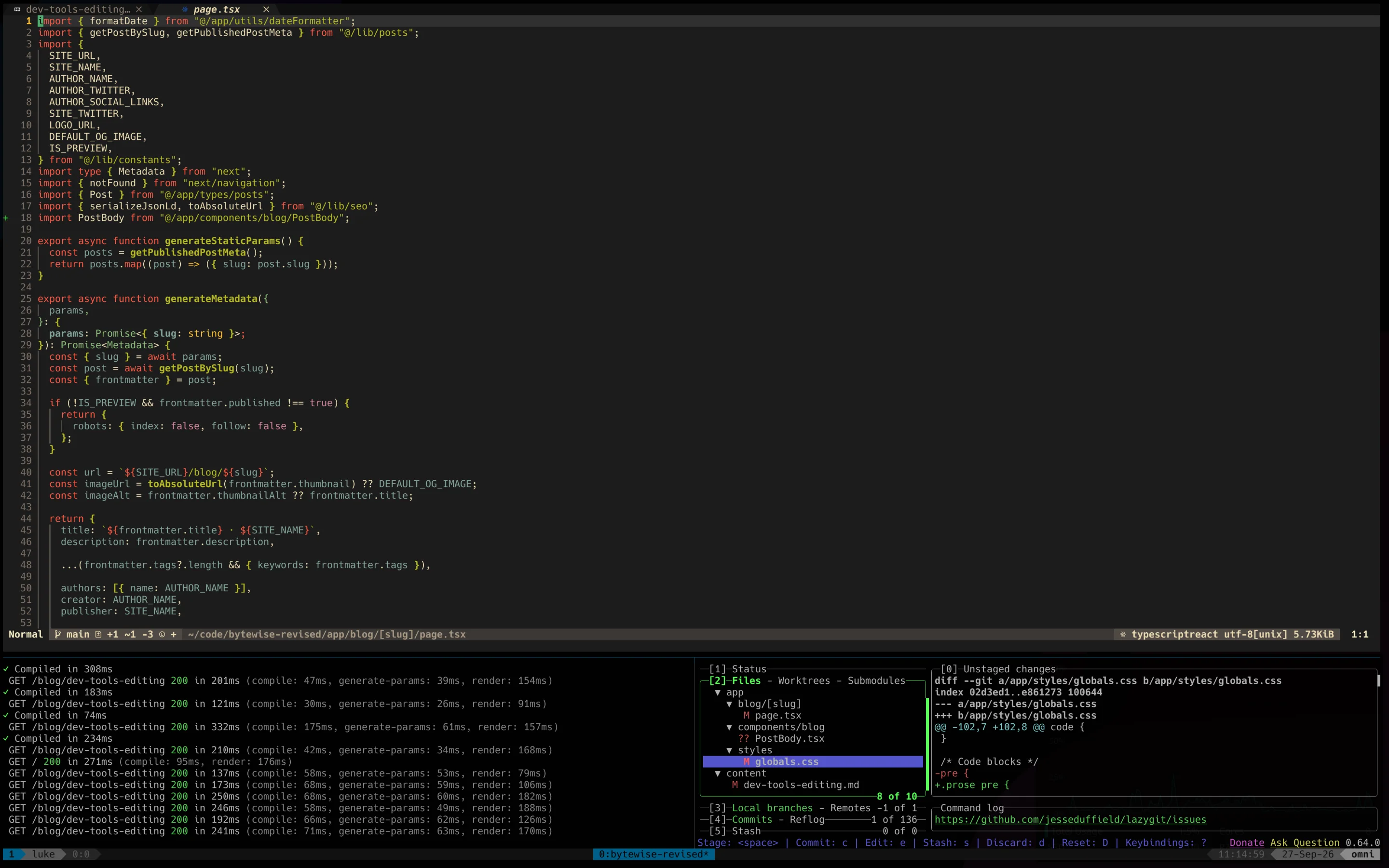
Most modern terminal emulators allow opening tabs and assigning shortcuts, but I still prefer using Tmux to manage my terminal workflows. Tmux is very customizable and feature rich, to the point of being able to configure what feels like your own personally built tool for managing projects and workflows.
You get a lot out of the box with Tmux, which is great because I like to keep my config simple/familiar as that tends to make it easier to maintain on top of the base config.
The only changes I have made are as follows:
set -g mode-keys vi
set -g history-limit 100000

# plugins
set -g @plugin 'tmux-plugins/tpm'
set -g @plugin 'jimeh/tmux-themepack'

# theme
set -g @themepack 'powerline/block/blue'

# init plugins
run '~/.tmux/plugins/tpm/tpm'

# Cycle next/prev panes
bind -n M-n select-pane -t :.+
bind -n M-p select-pane -t :.-

# Split pane current directory
bind '"' split-window -v -c "#{pane_current_path}"
bind % split-window -h -c "#{pane_current_path}"

# Copy mode keys, vi style
bind-key -T copy-mode-vi v send -X begin-selection
bind-key -T copy-mode-vi y send -X copy-selection-and-cancel

# launch dev windows
bind-key D "\
  rename-window '#{b:pane_current_path}' \;\
  send-keys 'nvim' C-m \;\
  split-window -v -c '#{pane_current_path}' \;\
  split-window -h -c '#{pane_current_path}' \;\
  send-keys -t 2 'lazygit' C-m \;\
  select-pane -t 0"

# kill all
bind-key K kill-session
Text Editor
I've used plenty of editors over the years, and after 2 previously failed attempts to adjust to the vim workflow, I have finally been able to switch completely over to Neovim.
Early on, I started out on Atom when it was gaining popularity, then later jumped between various JetBrains IDEs and VSCode. When I first discovered Neovim, I installed the base application and was unable to do much of anything because I didn't know all of the commands or shortcuts. It just felt like too much work to get things going, just so I can edit text just like my other editors already let me do. At that point, it didn't really seem worth it.
Shortly after, I gave a few distros a try, mainly: LunarVim, NvChad, and kickstart. While they offered more out of the box, I still couldn't bring myself to commit to slowing down my editing process on personal or work projects just to learn something that felt pointless.
Eventually, I decided that I didn't care about the learning curve behind Neovim, it became something to learn in my own time where I could slowly build up a config of my own. I began with kickstart again, but I gave myself a few minutes here or there to edit my config or mess around with the editor in my free time. It got rid of the worry around being less productive at work and became much more fun to learn at my own pace.
After I had gotten my kickstart setup working just like I wanted, I was finally comfortable enough to use Neovim as my main editor for personal and work projects. I admit that I thought the editor was far too complicated and clunky to work with at first, but the more I used it and made small tweaks, the more the editor became something specialized for solving my daily tasks. I became more efficient than I was with other IDEs, and Neovim certainly performed better than those IDEs that were packed with every feature anyone could ever want or need.
When Neovim introduced its own plugin manager with vim.pack, I decided it was time to jump ship from kickstart and finally start fresh from the beginning. I downloaded the latest stable app image of Neovim and ported over my kickstart config, further pruning the included plugins down to the bare minimum. I finally had my lightweight editor, fully customized with my own shortcuts and scripts to ensure I can always feel closely connected to the code I am working with.
TL;DR
I prefer to work in the terminal, mainly using:
- Tmux
- Neovim
- CLI Tools & TUI
The fact that these tools are as minimal as possible, is the biggest reason I base my entire development environment around them. I'm not overwhelmed with features I don't want or need that get in my way, and I know exactly what my tools can and can't do.